
I cannot connect to my Feel Monitor
There could be several reasons why you cannot connect the Feel Monitor to the Feel app. Below are some tests you can do to help you resolve the issue.
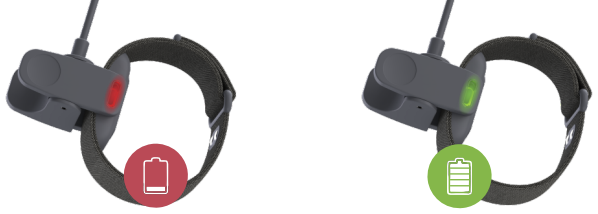
Charging test: To check if the Feel Monitor is charging properly, observe the LED indicators:
- Constant red: Extremely low battery
- Fading red: Low battery
- Fading green: Adequate battery
- Constant green: Fully charged
Wake-up test: Once your Feel Monitor is charged, remove it from the charger and position it on your dominant hand, adjusting the strap to ensure close contact with your skin. At this point, the (green and orange) LED lights inside the Feel Monitor should start flickering.

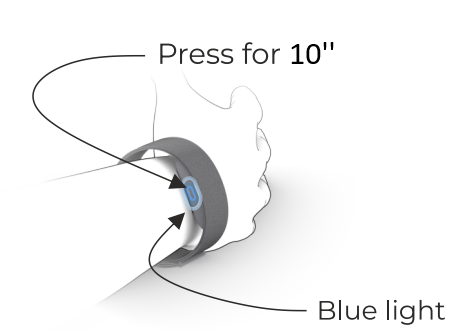
Reboot: If any of the above tests do not work as expected, try rebooting the Feel Monitor. To do this, press the button on the Feel Monitor for about 10 seconds until you feel a short vibration and see the LED light blink blue. Afterward, put the device back on, ensuring it is in contact with your skin.
A few more things you could try are: Turning Bluetooth off and on again, closing and re-opening your app, and rebooting your phone.
If you have tried all the above and still face issues, you can contact us through the app settings under Help > Send a Message.