
Charging your Feel Monitor
To charge your Feel Monitor, follow these steps:
- Connect the Feel Monitor to the Feel charger by inserting the charger in the charging port.
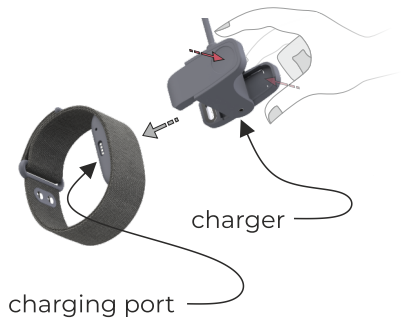
- Connect the Feel charger to a power source. The power source can be either a computer or a power outlet. For a power outlet, you will need to use your own USB wall power adapter.

- Charge the Feel Monitor until the LED turns constant green, indicating it is fully charged. If the LED does not light up, try using a different power outlet or connect it to your computer or laptop.
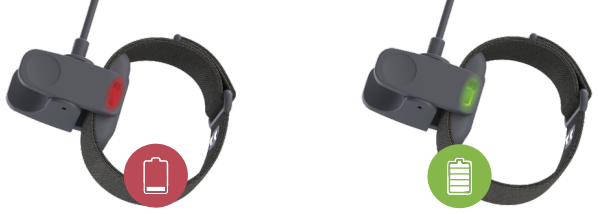
- Once the battery is fully charged, disconnect your Feel Monitor from the charger and connect it to the Feel app through the settings, if it isn’t already connected.